


Introduction
In the digital-first era, businesses and teams need more than just words to communicate complex ideas. That’s where Lucidchart comes in-a cloud-based diagramming and visual collaboration tool designed to turn concepts into actionable visuals. Whether you’re mapping workflows, brainstorming, designing org charts, or managing technical diagrams, Lucidchart empowers teams to think visually and work smarter.
What is Lucidchart?
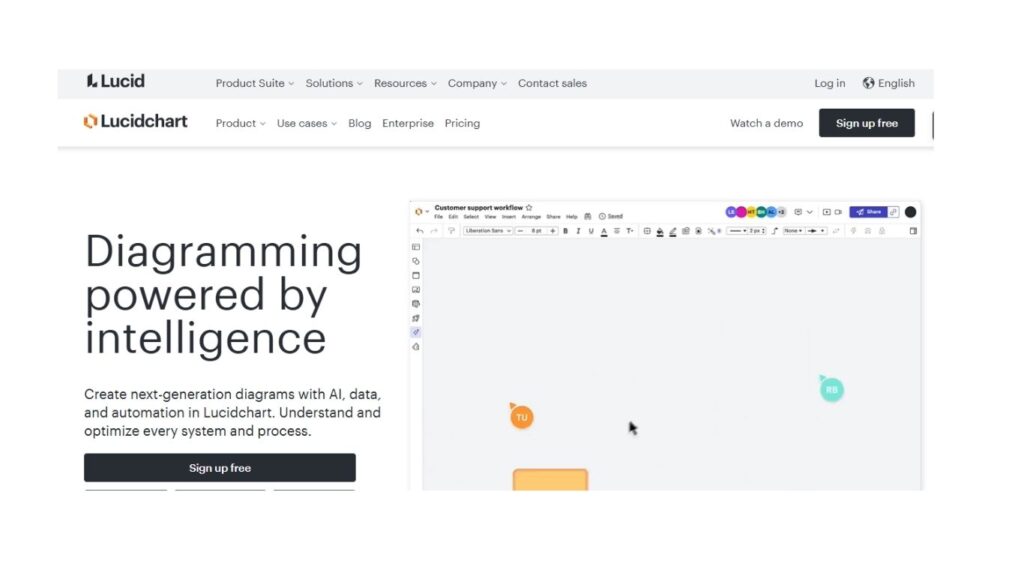
Lucidchart is a web-based diagramming application that enables individuals and teams to create flowcharts, wireframes, organizational charts, UML diagrams, mind maps, and more. It’s widely used by businesses, educators, engineers, and project managers to visualize processes, brainstorm collaboratively, and simplify complex information.
It is part of the Lucid Visual Collaboration Suite, which also includes (for brainstorming) and (for cloud architecture visualization).
Key Features
1. Intuitive Drag-and-Drop Interface
It is simple design makes it easy to create professional diagrams without needing design expertise. Users can drag and drop shapes, connectors, and templates to build workflows instantly.
2. Real-Time Collaboration
Multiple team members can work on the same document simultaneously. You’ll see changes in real time, much like Google Docs, eliminating version control headaches.
3. Extensive Templates & Shape Libraries
It offers pre-built templates for:
- Flowcharts
- Mind maps
- Wireframes
- Venn diagrams
- Network diagrams
- Org charts
4. Cross-Platform Accessibility
Since Lucidchart is cloud-based, you can access your projects on Windows, macOS, Linux, iOS, and Android devices.
5. Integration with Popular Tools
It connects seamlessly with productivity platforms like:
- Google Workspace
- Microsoft 365
- Slack
- Jira
- Confluence
- Zoom
- Salesforce
6. Enterprise-Grade Security
With SSO (Single Sign-On), SOC 2 compliance, and data encryption, it is built for secure collaboration at scale.
Read More about Marketing
Benefits
Improved Team Collaboration
Visual communication helps teams understand projects faster. It eliminates confusion by making processes and strategies transparent and visual.
Time-Saving Templates
Instead of creating diagrams from scratch, users can leverage ready-made templates, reducing project setup time.
Better Decision-Making
Complex workflows and datasets are easier to analyze when represented visually, enabling smarter business decisions.
Remote Work Enablement
With distributed teams becoming the norm, Lucidchart’s real-time collaboration supports remote productivity and alignment.
Scalability for Enterprises
It isn’t just for startups or students-it scales seamlessly for enterprises with thousands of employees.
Common Use Cases
1. Business Process Mapping
Companies use Lucidchart to map workflows, SOPs, and decision trees to optimize efficiency.
2. Project Management
It helps project managers visualize timelines, dependencies, and tasks with Gantt-style diagrams.
3. Software Development
Developers and engineers use for UML diagrams, ER diagrams, and system architecture planning.
4. Sales & Marketing
Sales teams map customer journeys, while marketers brainstorm campaign workflows visually.
5. Education & Training
Teachers and trainers use Lucidchart for lesson plans, mind maps, and interactive classroom activities.
Lucidchart vs Competitors
Lucidchart vs Microsoft Visio
- Ease of Use: Lucidchart is more beginner-friendly with drag-and-drop features.
- Collaboration: Lucidchart offers real-time multi-user collaboration; Visio lacks this natively.
- Pricing: Lucidchart is more affordable and cloud-based.
Lucidchart vs Miro
- Lucidchart is stronger in structured diagramming.
- Miro excels in freeform brainstorming.
- Many businesses use both tools for different needs.
Lucidchart vs Draw.io
- Draw.io is free and open-source but limited in integrations.
- Lucidchart provides enterprise-level features and professional templates.
Pricing (as of 2025)
It offers flexible pricing for individuals, teams, and enterprises:
- Free Plan – Limited features for personal use.
- Individual Plan – Around $7.95/month, with full templates and premium features.
- Team Plan – Around $9/user/month, with collaboration features.
- Enterprise Plan – Custom pricing with advanced security and integrations.
(Tip: Lucid often offers discounts for annual billing.)
How to Get Started
- Sign Up Free – Create a free Lucidchart account using your email or Google account.
- Choose a Template – Select from hundreds of templates tailored for your industry.
- Customize Your Diagram – Drag and drop shapes, add text, and connect workflows.
- Collaborate – Invite teammates via link or email.
- Export & Share – Save diagrams as PDF, PNG, or share directly with stakeholders.
Best Practices for Using Effectively
- Keep diagrams simple: Avoid clutter; focus on clarity.
- Use color coding: Differentiate stages, roles, or outcomes visually.
- Integrate with other apps: Connect Lucidchart with Slack, Jira, or Confluence for seamless workflows.
- Leverage keyboard shortcuts: Speed up diagram creation.
- Update regularly: Keep diagrams relevant as processes evolve.
Who Should Use ?
- Startups needing fast, visual planning tools.
- Enterprises that require scalable, secure, and collaborative diagramming.
- Educators looking for interactive teaching aids.
- Engineers & Developers planning systems and workflows.
- Marketers & Sales Teams mapping strategies and customer journeys.
Future
With AI-driven automation and predictive analytics on the rise, it is evolving to include AI-assisted diagramming, auto-layouts, and intelligent suggestions. The tool is likely to become an even more central part of business collaboration in the coming years.
Conclusion
It isn’t just a diagramming tool-it’s a visual collaboration platform that helps businesses think, plan, and execute faster. With its intuitive design, real-time collaboration, and robust integrations, it is the go-to choice for organizations that value clarity, efficiency, and teamwork.