


Artificial Intelligence (AI) has revolutionized almost every creative and business process-from writing and video production to marketing automation and healthcare. One of the fastest-growing areas of AI application is image editing and masking, led by advanced tools like Mask AI.
Mask AI is designed to separate objects from backgrounds, enhance images, and simplify complex editing tasks that previously required expert-level Photoshop skills. Whether you are a photographer, designer, marketer, or content creator, Mask AI provides an easy, efficient, and precise way to handle masking and background removal.
What is Mask AI?
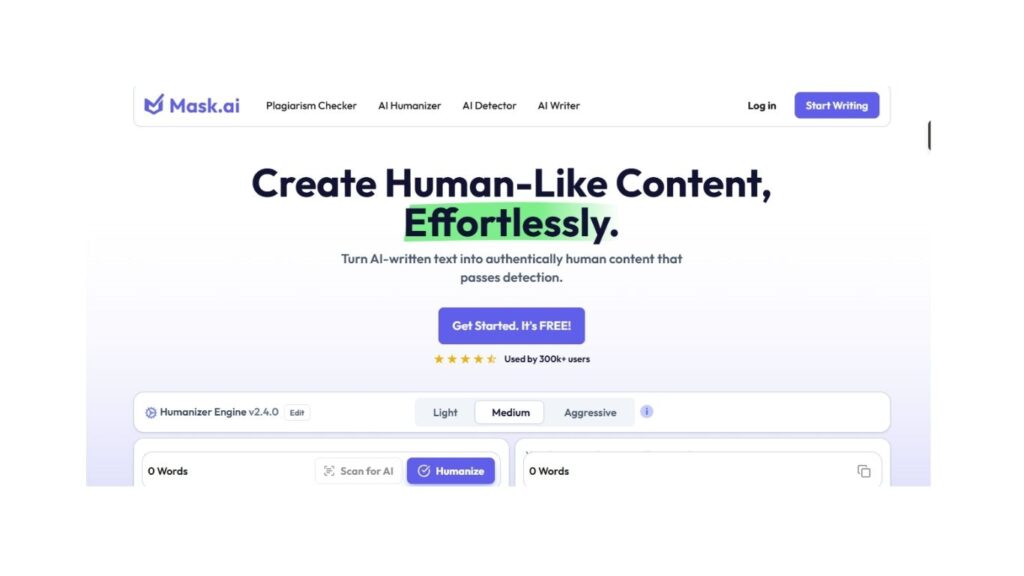
Mask AI is an advanced image editing tool powered by artificial intelligence. It specializes in masking, which means isolating specific parts of an image-such as people, products, or objects-while removing or replacing the background.
Traditional masking techniques in photo editing software were time-consuming and often inaccurate, especially when dealing with hair, fur, transparent objects, or complex edges. Mask AI leverages deep learning and computer vision algorithms to automate this process with high accuracy.
Key Functions
- Automatic Background Removal – Quickly remove or replace backgrounds in images.
- Smart Object Selection – AI identifies the main subject of a photo.
- Edge Refinement – Handles tricky edges like hair, smoke, glass, or feathers.
- Batch Processing – Edit multiple images at once.
- Creative Editing – Swap backgrounds, create cutouts, and enhance visuals.
Why Matters in Today’s Digital World
Mask AI is not just another image editing tool-it represents a paradigm shift in content creation. Here’s why:
- Speed and Efficiency
- Manual masking could take hours; Mask AI does it in minutes.
- Businesses save valuable time and resources.
- Accessibility
- Anyone—even without design expertise—can create professional-quality edits.
- Democratizes creative editing for marketers, e-commerce sellers, and freelancers.
- Accuracy and Precision
- AI algorithms handle intricate details far better than manual methods.
- Ensures a polished, natural-looking finish.
- Scalability for Businesses
- E-commerce platforms can process thousands of product images daily.
- Marketing agencies can quickly adapt visuals for multiple campaigns.
Key Features
To understand the real power of Mask AI, let’s break down its most important features:
1. AI-Powered Masking
Mask AI automatically detects subjects in an image and separates them from the background with remarkable accuracy.
2. One-Click Background Removal
With a single click, users can remove backgrounds and replace them with a solid color, gradient, or custom image.
3. Edge Detection & Refinement
Unlike traditional tools, Mask AI recognizes fine details such as hair, fur, or fabric texture, producing clean and natural cutouts.
4. Transparency Handling
Mask AI is designed to handle transparent or semi-transparent objects like glass, water, smoke, and veils.
5. Smart Color Coding
Some versions of Mask AI use trimap technology (blue, green, red coding) to refine selections and give users more control.
6. Batch Processing
Instead of editing images one by one, users can apply the same masking settings to an entire batch, making it ideal for large projects.
7. Creative Integrations
Mask AI integrates with other editing platforms, allowing seamless workflow between photo editing, video editing, and design software.
Read More about Marketing
Use Cases
1. E-commerce and Product Photography
- Remove cluttered backgrounds to highlight products.
- Replace dull backdrops with branded themes.
- Maintain consistent product visuals across catalogs.
2. Marketing and Advertising
- Create campaign visuals faster.
- Swap backgrounds to adapt to different markets.
- Personalize ads with AI-generated backdrops.
3. Photography
- Save hours of retouching work.
- Enhance portraits with professional-quality masking.
- Restore old images with precision cutouts.
4. Social Media & Influencer Content
- Eye-catching visuals for Instagram, TikTok, and YouTube.
- Background changes for better engagement.
- Professional edits without high costs.
5. Film and Video Production
- Use Mask AI for green screen alternatives.
- Enhance special effects with precise masking.
6. Graphic Design
- Creative compositions and collages.
- Marketing banners, flyers, and posters.
- Fast prototyping of design concepts.
Benefits
- Time-Saving – Reduces editing time by up to 90%.
- Cost-Effective – Cuts down the need for professional retouching services.
- User-Friendly – Designed for non-experts as well as professionals.
- Creative Freedom – Enables experimentation with designs and backgrounds.
- Consistency – Ensures brand visuals look uniform across platforms.
Mask AI vs. Traditional Masking Methods
| Feature | Traditional Masking | Mask AI |
|---|---|---|
| Speed | Slow, manual work | Instant, automated |
| Precision | Depends on skill | AI-enhanced accuracy |
| Learning Curve | Steep | Easy for beginners |
| Cost | Expensive outsourcing | Affordable AI tools |
| Scalability | Limited | Highly scalable |
Industries Benefiting
- E-commerce (Amazon, Shopify, Flipkart sellers)
- Fashion & Lifestyle (clothing brands, accessory designers)
- Real Estate (property photos with clean edits)
- Marketing Agencies (ad creatives at scale)
- Media & Entertainment (film, VFX, and photography)
Future
The future of Mask AI looks promising with upcoming advancements in:
- Generative AI integration – Replace backgrounds with AI-generated environments.
- Real-time video masking – Live masking for streaming and video editing.
- Augmented Reality (AR) support – Masking for AR filters and experiences.
- 3D Masking – Isolating objects in three dimensions for immersive content.
As businesses continue to rely on visual content marketing, AI-powered masking will become an essential tool in every creative workflow.
How to Get Started
- Choose the Right Version – Some Mask AI tools are standalone, while others integrate with editing software.
- Upload Your Image – Import photos into the platform.
- Use AI Auto-Masking – Let the tool detect and isolate the subject.
- Refine as Needed – Use trimap or manual adjustments for accuracy.
- Export Your Image – Save in your desired format (JPEG, PNG, PSD).
Best Practices for Using Mask AI
- Use high-resolution images for better masking results.
- Combine AI automation with manual refinement for perfection.
- Test different backgrounds to see what works best.
- Batch process images to save time for e-commerce or marketing campaigns.
Final Thoughts
Mask AI is more than just a background remover-it’s a creative enabler. By automating complex image editing tasks, it empowers businesses, creators, and designers to focus on storytelling and brand-building rather than tedious manual edits.